To summarize a video when the speaker corrects an earlier claim, create a short summary in Damas Insight Studio with the correction as its focus. Then check which earlier statement the speaker replaces, what the replacement says and which surrounding information remains unchanged. Write the final account from those checked passages. Reporting a correction faithfully does not independently prove that the replacement is true.
Damas accepts supported public, on-demand YouTube, Instagram and X video links up to 90 minutes. Use material you are authorized to process. Private, restricted and live videos are unsupported, and public sources can also be inaccessible. Damas is available on compatible iPhone, iPad and Mac devices; consult its App Store compatibility information for your device.
Create a summary focused on the correction
- Keep the original video link and title. Connect to the internet, sign in with Apple and provide the supported link in Damas. Review the AI processing consent. Online processing and purchases require Sign in with Apple. Processing uses media minutes and Insight credits; check balances, usage history and the cost before confirming. Current plans and optional top-up packs appear in the app.
- Create an original-language transcript. Read the relevant discussion and replay uncertain words, especially negatives, names, numbers and conditions. Inspect anything shown only on screen yourself.
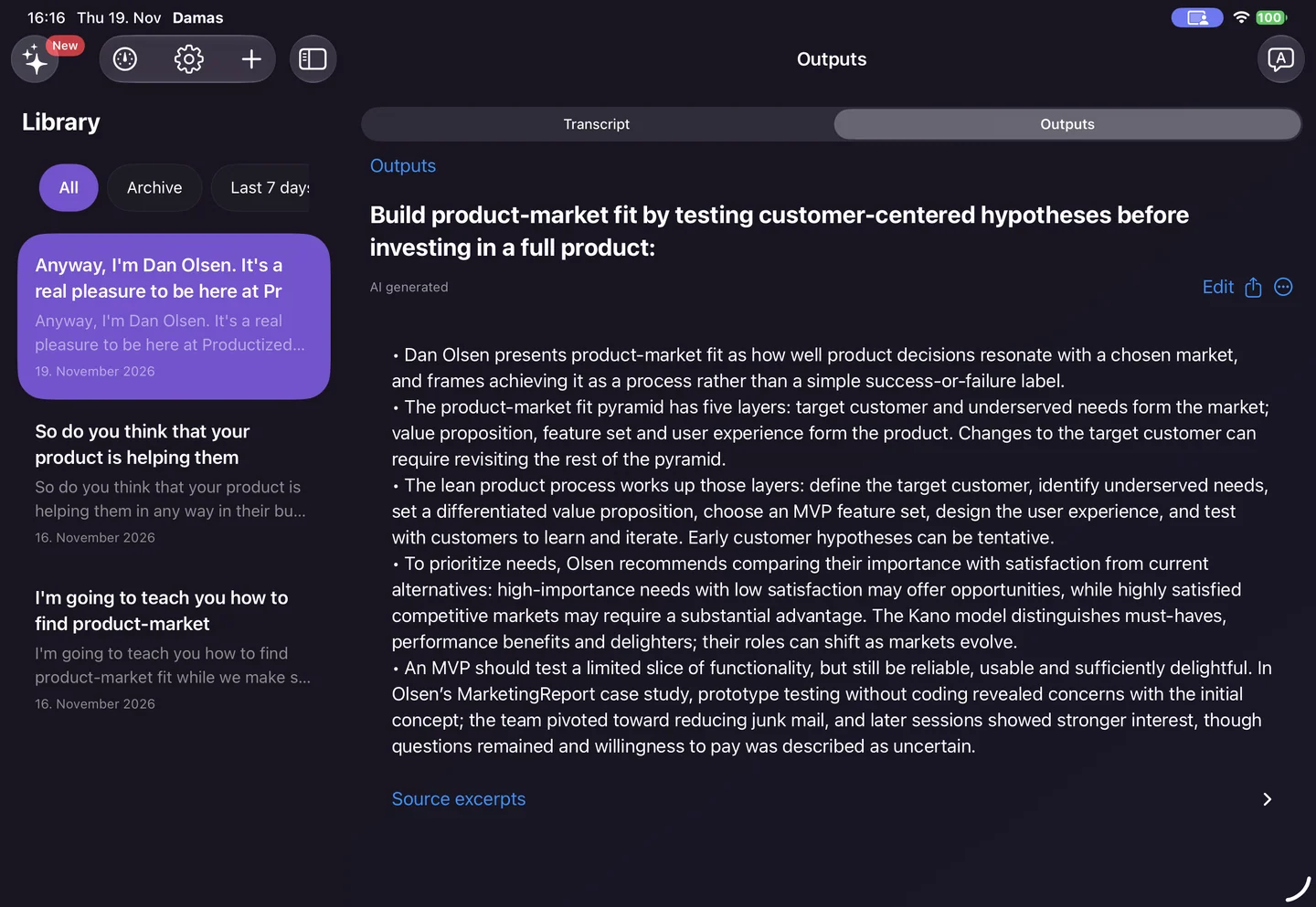
- Open the completed, nonempty transcript from Library, then open the wand-and-stars Insight Studio control. Choose a short summary in Standard style and your Output language. Supply topic or context guidance focused on the earlier statement, the speaker's correction and the replacement's scope.
- Review the displayed Insight cost and choose Generate. Read the saved result under Outputs; the original Transcript remains available separately. Online processing can continue after you leave the app, with a completion notification available when enabled.
- Read the summary and any Source excerpt, then replay both statements and the explanation connecting them in the original public recording. Use Edit for changes supported by that review. If the summary merges the two versions, create another output with more precise topic or context guidance, review its displayed cost and check the result again.
Useful context to supply in Damas:
Focus on the speaker's explicit corrections. Identify what each correction replaces and preserve the replacement's conditions. Keep unresolved conflicting statements unresolved. Use only the transcript and do not invent quotations or missing explanations.
This guidance does not guarantee that the generated summary will identify every correction. Inspect its treatment of the passage that matters to you.
For the broader overview workflow, see how to summarize a video transcript. The next review concerns which version of a particular claim belongs in your account.
Establish what the correction actually replaces
Treat an earlier claim as replaced only when the recording explicitly connects the correction to that claim. A later sentence on the same topic may add a condition, describe another case or remain in conflict. If you cannot establish the link, keep both passages and mark their relationship unresolved; do not choose the later wording just because it comes last.
Use an optional record in your own notes with four fields:
- Earlier statement: the checked wording and its original scope.
- Correction: the passage that explicitly withdraws or revises it.
- Replacement: the new wording, including conditions and uncertainty.
- Unchanged information: surrounding instructions or claims that the correction does not withdraw.
Split the original statement into the part corrected and any part left intact. Record the earlier wording, the explicit correction, the replacement and the affected scope in your own note. Cross out only the superseded part in that working note, leaving the original transcript available for context. A correction to an identifier does not also withdraw an unchanged instruction about recording a storage location.
You build this record yourself from the source. If a crucial word is inaudible, hold the affected conclusion rather than using the generated summary to fill the gap.
Fictional example: an object number and a shelf code
Imagine a training video about a catalog exercise. The presenter first says catalog numbers identify shelves. Later, they explicitly retract that statement: within this exercise, each object has a catalog number, while shelf codes describe storage locations. An instruction to record each object's storage location remains unchanged. This is an invented teaching example, not a real quotation, catalog standard or app test.
Your record would retain these distinctions:
- Withdrawn: the claim that catalog numbers identify shelves.
- Replacement: catalog numbers identify individual objects within the exercise.
- Separate information: shelf codes describe storage locations.
- Still applicable: record the object's storage location; the correction did not withdraw that instruction.
For a summary of the final teaching, a suitable paraphrase is: in the exercise, catalog numbers identify objects and shelf codes describe their storage locations; the presenter still instructs viewers to record the location.
If the reader needs the correction history, explain that the presenter initially assigned catalog numbers to shelves and then explicitly corrected that account. Keep the earlier claim visibly attributed to the withdrawn version. Do not list both versions as current facts.
If a real recording merely shows an object label later without correcting the earlier shelf statement, that visual difference alone does not establish a withdrawal. Inspect the demonstration, label your visual observation separately and leave the relationship open.
Choose what your reader needs next
Decide whether your summary should explain the final account or the correction itself. For the final account, retain the replacement with its scope. For the correction history, retain both passages and explain their stated relationship. In either case, check that unaffected information survives and that you have not supplied a reason for the correction that the speaker never gives.
Keep the source link, checked passages and unresolved questions with your notes. Use quotation marks only for exact words checked against the recording; label shorter wording as your paraphrase. Never invent source facts, quotations, owners or deadlines. If the replacement matters to a consequential decision, seek separate primary evidence for its truth.
When passages concern different situations rather than an explicit correction, the interview-theme comparison helps preserve their scope. Before quoting the correction word for word, use quotation checking. Damas lets you read, edit, copy and share texts and notes; this workflow requires no external LLM.
Accuracy and processing time vary. Damas does not download media, accept file uploads, dub speech, embed subtitles or process offline. If the recording becomes inaccessible, leave unfinished checks unresolved. Share only within your reuse rights.
Damas Technologies LLC